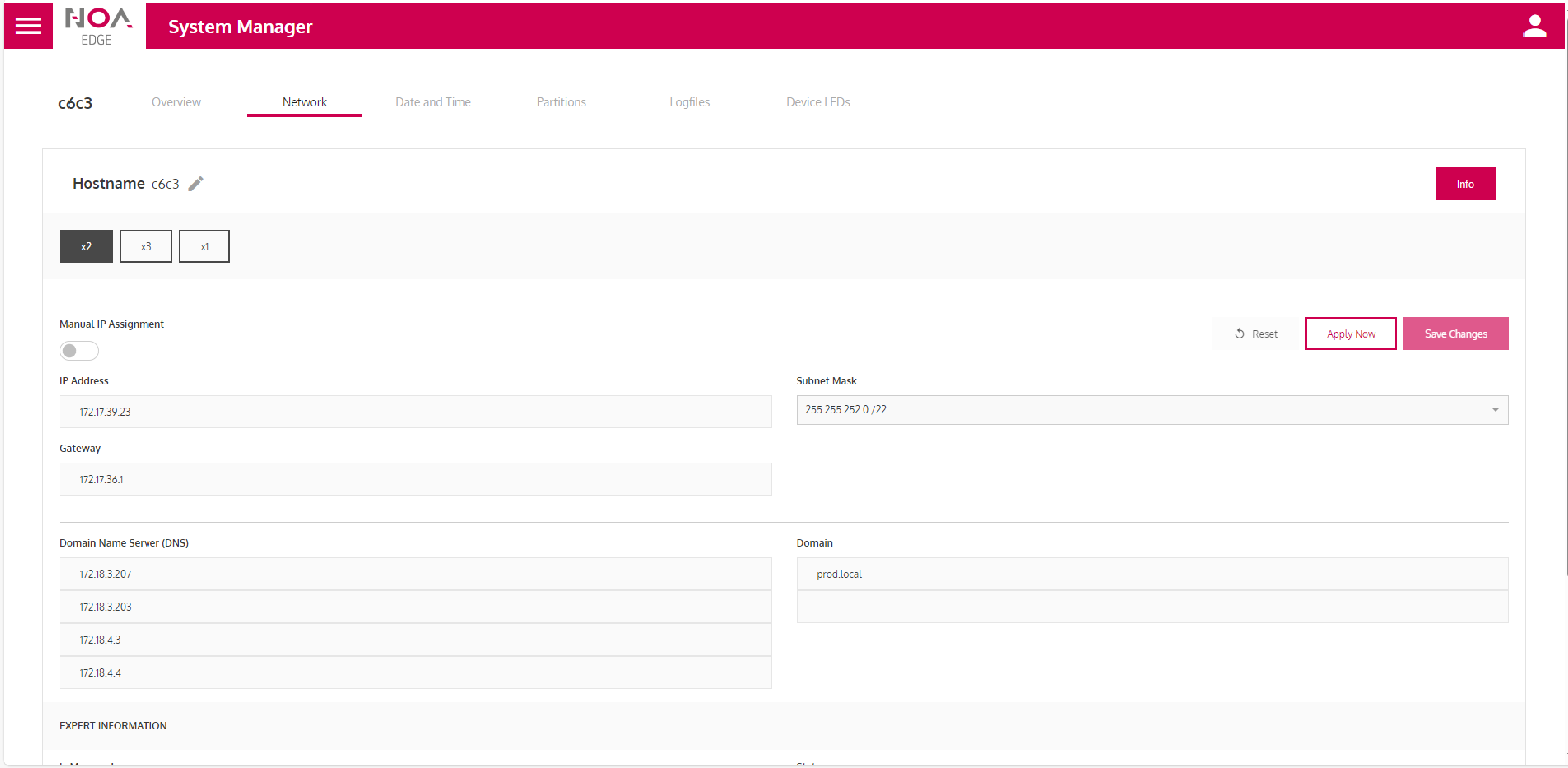
Hostname - Name of the control in the network. The pen can be used to change the host name.
X1, X2, X3 – Settings of the respective interface.
Manual IP assignment. With this switch, the IP address is no longer assigned automatically via the DHCP server. The settings below can be specified manually. Attention! A changed IP address becomes active with Activate now. The system manager is now no longer connected to the control. It must be restarted with the new IP address.
Save saves the settings statically. These are always activated when the system is restarted.